How We Ship Software Without Anyone Noticing
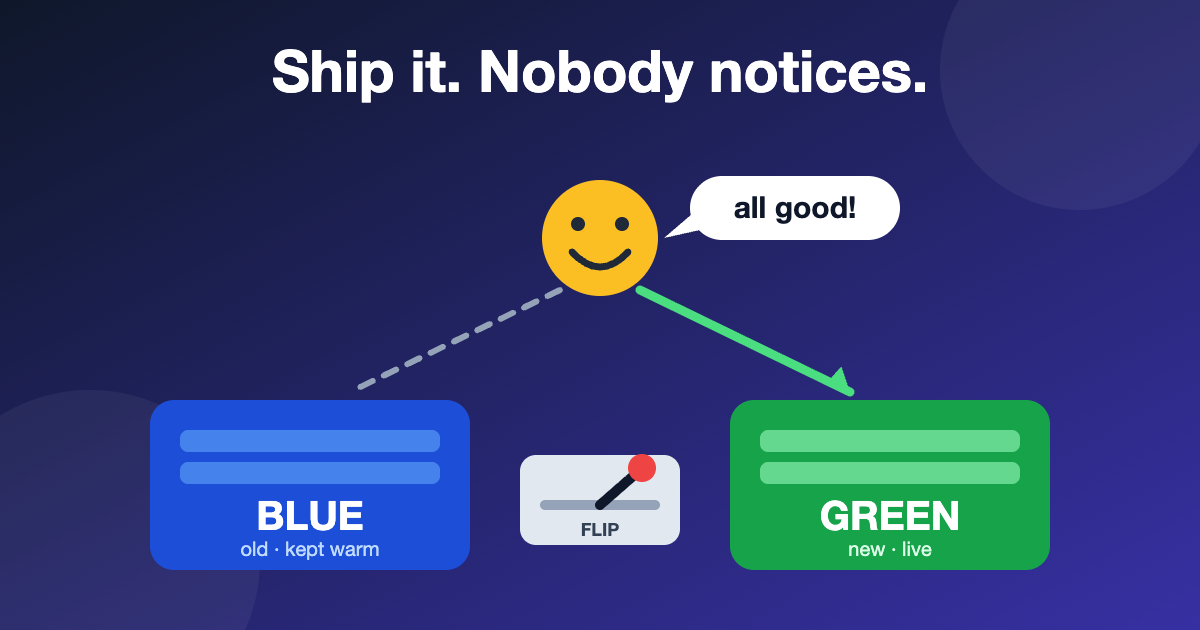
Twenty years in broadcast taught me one rule above all others: you never change the chain that's on air. You build the new path next to it, you test it where nobody is watching, and only when you're sure do you flip the switcher. The audience should never know a changeover happened.
Last week I got a small, real-world reminder that the same rule applies to software, and that I'd nearly broken it. This is the story, and along the way I'll show you how my finance app gets from "I changed some code" to "it's live" without a single user noticing.
The problem: an item stuck on an emailed transmittal
In the Liquidation Tracker, a transmittal is a bundle of paperwork that gets emailed to accounting. Once it's emailed, it's locked. That's sensible, until you realise one item on it needs replacing. There was simply no button for that. The code allowed removing an item only while the transmittal was still "on going", and re-opening only from "completed", never from "emailed".
So I asked Claude Code to build a super-admin-only Unlink button: remove one item from an emailed transmittal, put the transmittal back to "on going", leave an audit trail with a required reason. The feature itself took a short while. The interesting part was everything around it.
First, a picture of the whole pipeline
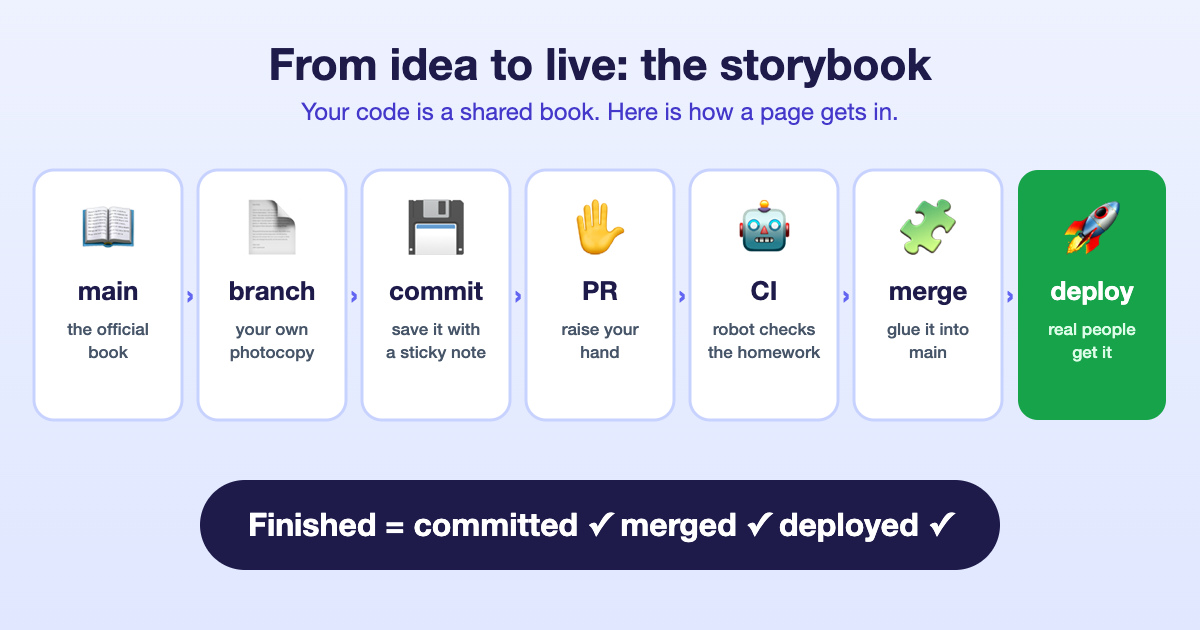
Think of your code as a shared storybook.
- main is the official copy. It's the truth.
- A branch is a photocopy you scribble on, so the official book stays clean.
- A commit is saving your scribbles with a note about what changed.
- A pull request (PR) is raising your hand: "I'm done, please review this and add it to the official book."
- CI (continuous integration) is a robot teacher that checks your homework automatically before any human looks.
- Merge is gluing your page into the official book.
- Deploy is putting a version of the book where real people read it.
"Finished" means all three: committed on a branch, merged into main, and running in production. Remember that sentence; it comes back later.
What GitHub Actions does for us
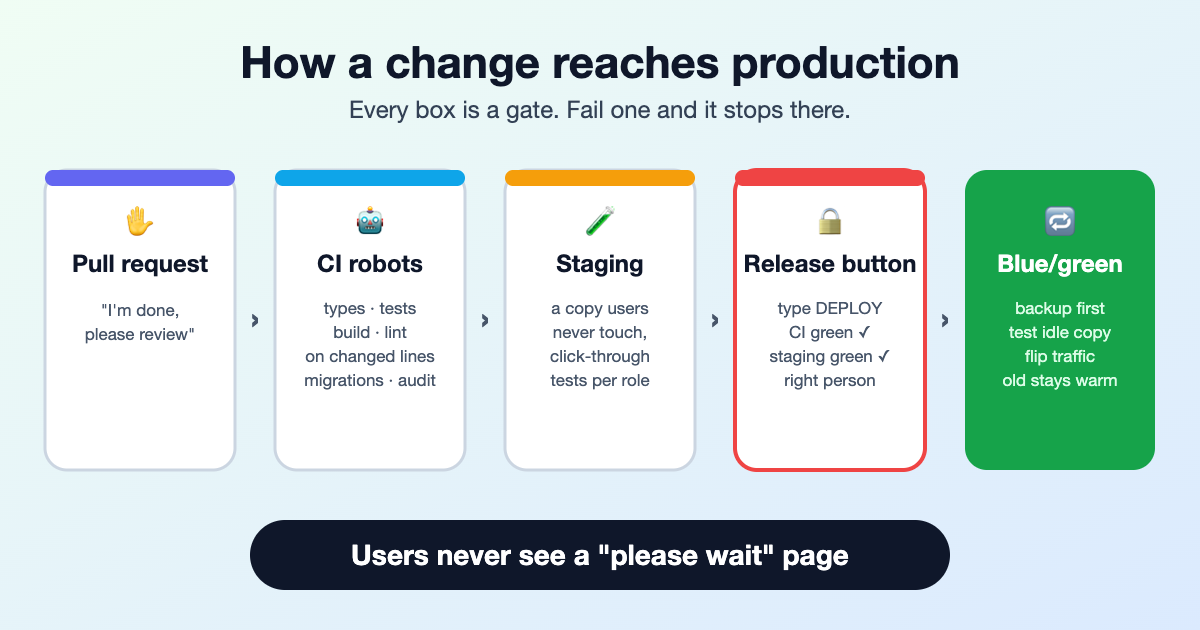
GitHub Actions is the robot teacher, and ours does more than spell-check. Every pull request triggers a set of automatic jobs:
- Type-check, tests and a full build of both the API and the dashboard. If it doesn't compile or a test fails, the PR goes red.
- A "lint only the lines you changed" check. Old code has hundreds of style complaints, and demanding they all be fixed before any edit would freeze the project. So the robot only judges the lines you added. That check is exactly what caught me this week: my new test file had messy formatting, three small Prettier errors, and the PR turned red until I fixed them.
- A database migration check. Migrations must be forward-only, and the robot applies every one of them to an empty Postgres to prove they work from scratch.
- A security audit of the dependencies, and a check of the shell scripts that do the deploying.
When something is merged to main and CI is green, a second workflow automatically deploys that exact commit to a staging copy of the app and runs an end-to-end test suite against it, clicking through pages as each role to make sure permissions still behave. Only if that passes does the commit earn a green "staging" mark.
Then there's the Release to production button. It refuses to run unless you are the right person, you typed the word DEPLOY, CI is green on that exact commit, and staging is green on that exact commit. It tags the release with a date-based version, and hands over to the deploy script on my homelab.
The part users never see: blue/green
This is the broadcast trick. In production I run two identical copies of the app, called blue and green. Only one is live at a time. A small proxy in front decides which one receives traffic.
To release, the deploy script does this, in order:
- Builds the new version from the tagged commit.
- Takes a database backup. Always, before anything else.
- Applies any database migrations.
- Starts the new version on the idle colour, while real users are still happily on the other one.
- Runs a smoke test against the idle copy: does it start, does it answer?
- Only then flips the proxy. Users' next request simply lands on the new copy. No downtime, no "we're updating, please wait" page.
- Smoke-tests again through the proxy. If that fails, it flips straight back by itself.
The old copy stays warm for 30 minutes afterwards, so a rollback is a flip, not a rebuild. It's a hot-standby changeover, the same idea as a backup playout chain, just made of containers instead of rack units.
The mistake I nearly shipped
Here's where it got uncomfortable. Before building the feature, I had Claude branch from the server's copy of main. But that copy was stale. Two pull requests had been merged on GitHub in the meantime, and the server's local copy had never been updated, because nothing updates it until someone runs git fetch.
If we had built the release from that old copy, the new version would have quietly removed two features that were already live. No error, no warning. The tests would have passed, because tests can't notice what isn't there.
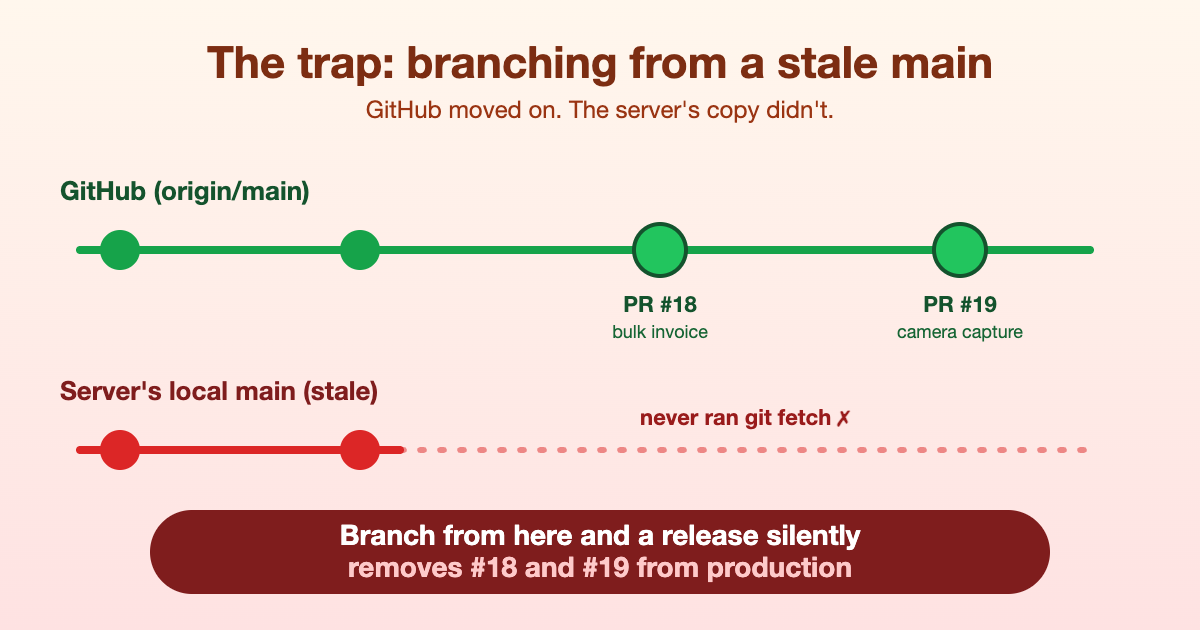
We caught it only because, before deploying, we compared "what production is running" against "what's in main" in both directions. Production had two changes that the old branch did not. We rebased onto the latest origin/main, re-tested, and then released.
An honest confession about this particular release
I should be straight with you: for this release we did not use the Release button. We ran the very same scripts the workflows call (build, back up, blue/green switch) by hand over SSH from the same machine. The result was identical and the deploy was clean, but we skipped the guard rails: the typed confirmation, and the check that CI and staging were green on the exact commit. The CI run on the PR did go red for the formatting issue, and I fixed it afterwards.
That's the lesson I'm keeping. The pipeline is only a safety system if you actually go through it. Shortcuts that work fine ninety-nine times are exactly how the hundredth one gets you. Next time: merge first, let CI and staging go green, then press the button.
So what's the proper way to deploy without users noticing?
- Never work on the live copy. Branch from the latest main (
git fetchfirst, always), not from whatever happens to be on your machine. - Let robots check everything cheap and boring: types, tests, build, formatting on changed lines, migrations, dependency audit.
- Test on staging, a copy of production that real users never touch.
- Take a backup before every release.
- Deploy blue/green: start the new version beside the old one, smoke-test it, then flip traffic. Keep the old one warm.
- Make rollback a flip, not a rebuild.
- Merge it. A feature that's live but not in main is a time bomb: the next release will erase it.
To stop myself repeating the stale-copy mistake, I had Claude write a small skill that fetches GitHub first and reports four things: what's live, what's merged but not yet deployed, what's deployed but not merged (the dangerous one), and which branches are still unfinished. Run before starting work and again at the end, it turns that sentence from earlier into a checklist: committed, merged, deployed. Only then is it done.
The audience should never know a changeover happened. That was true on air, and it's true in software, but only if you respect the switcher.